Binance API vs Coinbase API vs Kraken API: A Developer's Integration Guide
A technical comparison of Binance, Coinbase, and Kraken APIs covering authentication, symbol formats, rate limits, WebSocket implementations, and how a unified API eliminates the multi-exchange integration tax.
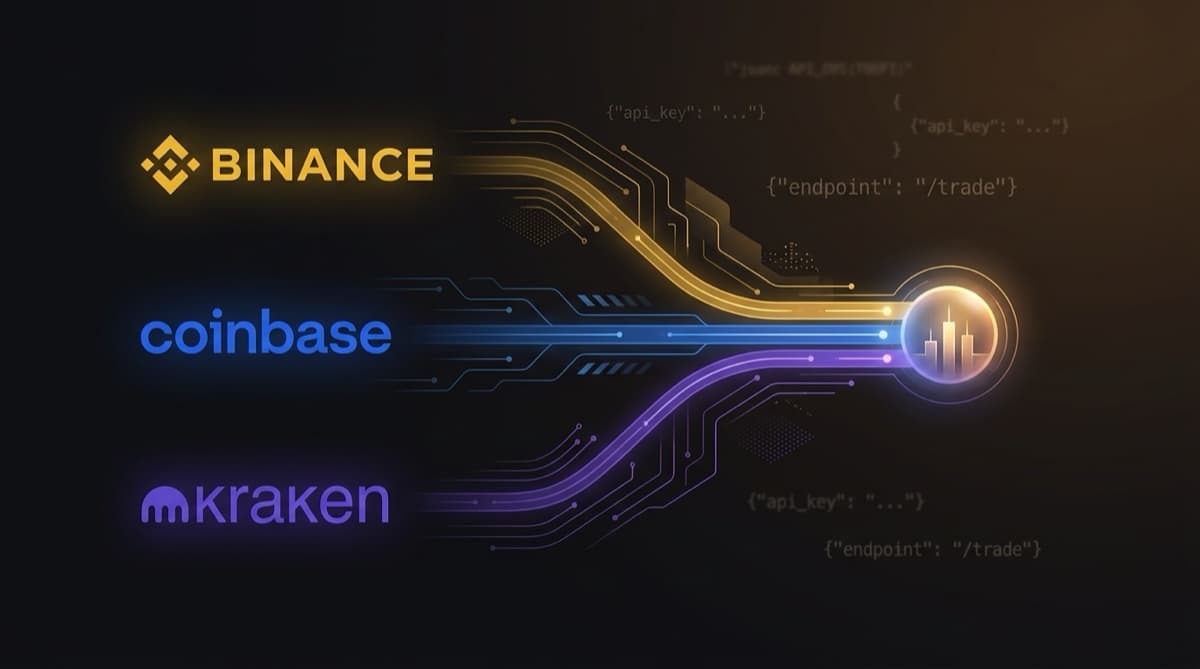
When you're building a crypto app, picking which exchange API to use is one of the earliest calls you'll make. Binance, Coinbase, and Kraken tend to be the go-to choices. They have the deepest liquidity, the best documentation, and the most reliable uptime. 🏗️
Popular doesn't mean interchangeable, though. These APIs differ in ways that actually affect your code: authentication, symbol formats, rate limiting, WebSocket protocols, error handling. Picking one (or trying to support all three) shapes how you structure your entire project.
We're comparing Binance, Coinbase, and Kraken here purely as APIs. Not the trading platforms, not the companies. Just the developer experience of pulling crypto market data from each one. We'll walk through authentication, endpoints, data formats, rate limits, WebSocket implementations, and the gotchas you'll hit during integration. And at the end, we'll look at how Luzia can collapse all of these into a single integration. 🎯
🔑 Authentication
All three exchanges handle auth differently. That's the first thing you'll run into.
Binance
Binance passes an API key through the X-MBX-APIKEY header. But for market data endpoints like tickers, order books, and candles, you don't need auth at all. Those are fully public. You only need a key for account-level operations.
# No auth needed for market data
curl "https://api.binance.com/api/v3/ticker/price?symbol=BTCUSDT"
For price data apps, this is ideal. No keys to manage, no setup, just hit the endpoint. 👍
Coinbase
Coinbase's Advanced Trade API requires OAuth2 or API key + secret with HMAC-SHA256 signatures. Even market data calls need authentication. Every request has to include a signed payload with a timestamp, HTTP method, path, and body hash.
const timestamp = Math.floor(Date.now() / 1000).toString();
const message = timestamp + "GET" + "/api/v3/brokerage/market/products/BTC-USD/ticker";
const signature = crypto.createHmac("sha256", secret).update(message).digest("hex");
This is noticeably more involved than Binance. The signature generation is finicky. If the timestamp, method, or path is even slightly off, you get a 401 with an error message that doesn't tell you much. 😅
Kraken
Kraken uses API key + private key with HMAC-SHA512 signatures, plus a nonce. Like Binance, public market data doesn't require auth. Private endpoints need a signature that includes a nonce (an incrementing counter) to block replay attacks.
const nonce = Date.now() * 1000;
const message = nonce + postData;
const hash = crypto.createHash("sha256").update(nonce + message).digest();
const signature = crypto.createHmac("sha512", Buffer.from(secret, "base64")).update(path + hash).digest("base64");
The nonce adds friction. You have to make sure nonces are strictly increasing, which gets tricky when you have concurrent requests. 🔧
The verdict
| Exchange | Market Data Auth | Private Auth | Complexity |
|---|---|---|---|
| Binance | None required | API key header | ⭐ Low |
| Coinbase | Required (HMAC) | HMAC-SHA256 | ⭐⭐⭐ High |
| Kraken | None required | HMAC-SHA512 + nonce | ⭐⭐ Medium |
If you only need market data, Binance wins on simplicity. You don't even need an account. 🏆
📊 Symbol Formats
This part is annoying. Every exchange formats the same trading pair differently.
| Pair | Binance | Coinbase | Kraken |
|---|---|---|---|
| Bitcoin/USDT | BTCUSDT | BTC-USDT | XBTUSDT |
| Ethereum/USD | ETHUSDC (no USD) | ETH-USD | ETHUSD |
| Solana/USDT | SOLUSDT | SOL-USDT | SOLUSDT |
Here's what's different:
- 🔤 Binance smashes base and quote together with no separator:
BTCUSDT - ➖ Coinbase uses a hyphen:
BTC-USDT - 🔄 Kraken still uses legacy tickers for certain assets:
XBTinstead ofBTC,XDGinstead ofDOGE
If you're pulling data from multiple exchanges, you need a normalization layer. Without one, every function in your codebase has to know which format goes with which exchange. It gets tangled quickly. 🍝
A basic normalizer looks like this:
function toExchangeSymbol(exchange: string, base: string, quote: string): string {
  // Handle Kraken's legacy tickers
  const krakenMap: Record<string, string> = { BTC: "XBT", DOGE: "XDG" };

  switch (exchange) {
    case "binance": return `${base}${quote}`;          // BTCUSDT
    case "coinbase": return `${base}-${quote}`;         // BTC-USDT
    case "kraken": return `${krakenMap[base] ?? base}${quote}`; // XBTUSDT
    default: return `${base}/${quote}`;
  }
}
Now picture duplicating that logic across every endpoint, every response parser, every log line. You can see why developers burn out on multi-exchange integrations. 😩
📡 REST API Comparison
Ticker Data
Binance is fast and straightforward. The /api/v3/ticker/24hr endpoint gives you everything in one shot: last price, bid/ask, 24h high/low/volume/change, weighted average price. Works for a single symbol or all symbols at once.
curl "https://api.binance.com/api/v3/ticker/24hr?symbol=BTCUSDT"
Response time: ~30-50ms. Hard to beat. ⚡
Coinbase exposes tickers at /api/v3/brokerage/market/products/{product_id}/ticker. You get last price, bid, ask, volume, and 24h stats. Auth required.
# Requires authentication headers
GET /api/v3/brokerage/market/products/BTC-USDT/ticker
Response time: ~80-150ms. Fine, but you can feel the difference compared to Binance.
Kraken takes a comma-separated list of pairs at /0/public/Ticker. The response includes bid, ask, last trade, volume, VWAP, and 24h high/low. One quirk: response keys are abbreviated (a for ask, b for bid, c for close), so you need a bit more parsing logic.
curl "https://api.kraken.com/0/public/Ticker?pair=XBTUSDT"
Response time: ~60-100ms. Solid.
OHLCV / Candlestick Data
All three offer candlestick data, but the details vary:
| Feature | Binance | Coinbase | Kraken |
|---|---|---|---|
| Intervals | 1m to 1M (16 options) | 1m to 1d (10 options) | 1m to 1w (8 options) |
| Max candles/request | 1,000 | 350 | 720 |
| Historical depth | Several years | Limited | Several years |
| Endpoint | /api/v3/klines | /api/v3/brokerage/market/products/{id}/candles | /0/public/OHLC |
Binance gives you the most here: 1,000 candles per request and the widest range of intervals. Coinbase's 350-candle cap means more paginated requests if you're running longer backtests. 📈
🚦 Rate Limits
Rate limiting is where these APIs really start to diverge in practice.
Binance
Binance runs a weight-based system. Each endpoint carries a "weight" cost, and you get a budget of 6,000 weight units per minute. Most market data calls cost 1-10 weight. A single-symbol ticker costs 1; fetching all symbols costs 40.
X-MBX-USED-WEIGHT-1M: 42
The weight system gives you flexibility, but you need to track consumption. If you're hitting expensive endpoints in bursts, you can blow through your budget faster than expected. ⚖️
Coinbase
Coinbase keeps it simpler: 30 requests per second for private endpoints, 10 per second for public ones. No weight system, just a flat count. Easier to think about, but that 10 req/s public limit feels tight when you're polling across many pairs.
Kraken
Kraken uses a "call counter" that goes up with each request and ticks down over time. The maximum counter value depends on your verification level (15 for starter, 20 for intermediate). Some endpoints add 1 to the counter, others add 2. It decreases by 1 every 3 seconds (or every 1 second at intermediate+).
Counter: 0 → call → 1 → call → 2 → (3s) → 1 → call → 2
Of the three, this is the hardest rate limit model to reason about. It's a leaky bucket with variable fill costs. 🪣
Comparison
| Exchange | Model | Effective Limit | Burst Friendly |
|---|---|---|---|
| Binance | Weight-based (6,000/min) | ~1,200 simple calls/min | ✅ Yes |
| Coinbase | Flat (10-30/sec) | 600-1,800/min | ⚠️ Moderate |
| Kraken | Call counter (15-20 max) | ~300/min | ❌ No |
For high-throughput use cases, Binance wins easily. Kraken's tight limits can hurt if your app needs to poll many pairs at once. 📊
🔌 WebSocket Implementations
All three exchanges support WebSocket APIs for real-time data, but each one works differently.
Binance
Binance WebSockets follow a stream-based model. You connect to a base URL and add stream names to it:
wss://stream.binance.com:9443/ws/btcusdt@ticker
Or combine multiple streams on one connection:
wss://stream.binance.com:9443/stream?streams=btcusdt@ticker/ethusdt@ticker
Messages come in as JSON with a stream field so you know which feed they belong to. Clean format, good docs. You need to reply to server pings with pong frames to keep the connection alive. ✅
Coinbase
Coinbase runs a subscription-based WebSocket at wss://advanced-trade-ws.coinbase.com. You subscribe by sending authenticated JSON messages:
{
  "type": "subscribe",
  "product_ids": ["BTC-USD"],
  "channel": "ticker",
  "api_key": "...",
  "timestamp": "...",
  "signature": "..."
}
Every subscribe and unsubscribe message needs a fresh HMAC signature. So your WebSocket client has to hold the API secret and compute signatures on the fly. More moving parts than Binance. 🔐
Kraken
Kraken supports public and private WebSocket channels at wss://ws.kraken.com/v2. Subscribing is straightforward JSON:
{
  "method": "subscribe",
  "params": {
    "channel": "ticker",
    "symbol": ["BTC/USD"]
  }
}
The design is clean: clear channel names, simple subscription model. Public channels don't need auth. Heartbeat is handled for you. 👍
Comparison
| Feature | Binance | Coinbase | Kraken |
|---|---|---|---|
| Public channels (no auth) | ✅ | ❌ | ✅ |
| Subscription model | URL-based + JSON | JSON + signed | JSON |
| Max streams/connection | 1,024 | 100+ | 100+ |
| Heartbeat | Ping/pong | Heartbeat channel | Auto |
| Documentation quality | ⭐⭐⭐ | ⭐⭐ | ⭐⭐⭐ |
😤 The Multi-Exchange Integration Tax
If your app needs data from all three exchanges (and plenty do: portfolio trackers, arbitrage bots, comparison tools), here's what you're signing up for:
- 🔧 3 authentication systems to build and maintain
- 🔤 3 symbol format normalizers with edge cases for Kraken's legacy tickers
- 📦 3 response parsers with different field names and shapes
- 🚦 3 rate limit trackers each using a different model (weight, flat, counter)
- 🔌 3 WebSocket implementations with different subscription protocols
- 🛡️ 3 error handling paths with different error codes and formats
- ⏱️ 3 sets of documentation to stay current with as APIs change
We call this the "multi-exchange integration tax." No single exchange API is bad on its own. Each one is reasonable. The cost comes from the combination. Every feature you ship has to work across three different implementations. Bugs might only show up on one exchange. Any API update from any exchange means a code change on your end. 💸
And the burden scales linearly. Want to add Bybit and OKX? That's five exchanges, five implementations. At some point your codebase is mostly adapter code, with your actual product logic buried underneath it all. 🪦
🎯 The Unified Alternative: One API for All Three (and More)
This is the exact problem Luzia was built to solve. Instead of integrating with each exchange individually, you integrate once with Luzia and get normalized data from all five major exchanges: Binance, Coinbase, Kraken, Bybit, and OKX.
import { Luzia } from "@luziadev/sdk";

const luzia = new Luzia({ apiKey: "lz_your_api_key" });

// Same code, any exchange
const binance = await luzia.tickers.get("binance", "BTC/USDT");
const coinbase = await luzia.tickers.get("coinbase", "BTC/USDT");
const kraken = await luzia.tickers.get("kraken", "BTC/USDT");

// Same response shape, every time
console.log(`Binance:  $${binance.last}`);
console.log(`Coinbase: $${coinbase.last}`);
console.log(`Kraken:   $${kraken.last}`);
Here's what that gives you:
- 🔄 One symbol format.
BTC/USDTworks across every exchange. No jugglingBTCUSDTvsBTC-USDTvsXBTUSDT. - 🔑 One auth model. Bearer token in a standard
Authorizationheader. No HMAC, no nonces, no signatures. - 📦 One response shape. Same fields, same types, regardless of which exchange the data came from.
- 🚦 One rate limit. 100 req/min on the free tier, 1,000 req/min on Pro. Predictable.
- 🔌 One WebSocket. Subscribe to
ticker:binance:BTC-USDTandticker:kraken:BTC-USDTon the same connection. - 🛡️ One error format. Typed error codes, structured responses, consistent across all exchanges.
The SDK takes care of retries, rate limit awareness, and typed responses for you:
// Compare BTC price across ALL exchanges in one call
const { tickers } = await luzia.tickers.listFiltered({
  symbols: ["BTC/USDT"],
});

for (const t of tickers) {
  console.log(`${t.exchange}: $${t.last} (${t.changePercent}%)`);
}
WebSocket streaming works the same way. One connection, multiple exchanges:
const ws = luzia.createWebSocket();

ws.on("ticker", (msg) => {
  console.log(`${msg.exchange} ${msg.symbol}: $${msg.data.last}`);
});

ws.subscribe([
  "ticker:binance:BTC-USDT",
  "ticker:coinbase:BTC-USDT",
  "ticker:kraken:BTC-USDT",
]);
ws.connect();
🏁 Conclusion
Binance, Coinbase, and Kraken all have solid APIs with different strengths. Binance is fastest and most generous with rate limits. Coinbase has the edge on US regulatory compliance. Kraken has some of the cleanest API design of the three. For a single-exchange integration, any of them works.
But once you need data from multiple exchanges (and most production apps eventually do), the integration tax takes over. Three auth systems, three data formats, three rate limiters, three WebSocket implementations. That's engineering time going to plumbing instead of your product.
Luzia removes that tax. One integration, one format, one SDK, five exchanges. You're adding a hop between your app and the exchange, sure. But with sub-100ms latency and WebSocket streaming, that hop costs a lot less than the engineering hours you'd sink into maintaining direct integrations yourself.
Want to try it? 👉 Sign up at luzia.dev, grab a free API key, and bun add @luziadev/sdk. One integration, five exchanges, no format headaches. ⚡
🏦 Luzia normalizes market data from Binance, Coinbase, Kraken, Bybit, and OKX into a single, consistent API. Get started →